
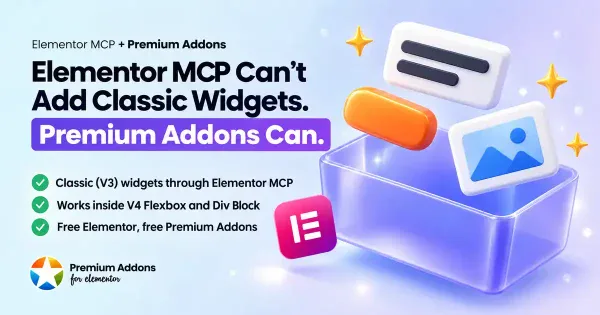
Elementor MCP builds with the new atomic elements only. Premium Addons lets your AI add classic (V3) widgets through the same connection. Here's how.

Elementor MCP builds with the new atomic elements only. Premium Addons lets your AI add classic (V3) widgets through the same connection. Here's how.
Elementor has two AI tools of its own, Angie and Elementor MCP, and as of this month both of them can build
In July your AI assistant learned to build Premium Addons layouts. In August it stopped starting from a blank container, because it
Introducing: AI Agent Skill. If you have connected an AI client to your WordPress site through Premium Addons MCP or any other
Eight releases in July. AI assistants can now build with Premium Addons directly in Elementor, OAuth made connecting one a thirty-second job, and 24 widget improvements and fixes landed alongside.

Subscribe & Download
Use Premium Image Layers Elementor widget to add a sense of interactivity to your Elementor pages. This widget will give you the ability to add multiple layers like Images, Lottie Animations, and Text.


Elementor Image Layers widget now supports Lottie Animations. You can now include Lottie Animations into Image Layers widget along with images and text.


Premium Image Layers widget for Elementor Page Builder got a massive update. Now, you will be able to drag and drop the images into your web page using Premium Image Layers. In addition, you will have the ability to manage layers’ positions on different screen sizes.

Get the ability to manage the layers inserted into your Image Layers widget freely using a Freehand Design Experience. Now, you can reposition your Image Layers elements using your mouse with no need to control their placement from the Elementor Editor.


Quick answers about building layered, animated designs with Premium Image Layers widget.
No. Premium Image Layers widget is part of Premium Addons Pro, which works alongside the free Premium Addons for Elementor plugin. You don’t need Elementor Pro to use it.
Each layer has a Media Type: Image, Lottie Animation, Text or SVG/Icon. Mix them freely in one widget, and turn any layer into a link to a URL or an existing page.
Drag a layer to move it and pull its edges to resize it, right in the Elementor editor. For exact control, set Horizontal Offset, Vertical Offset, Width, Rotate and Z-index. Offsets and width can be different on each device.
Yes. Scroll Effects add fade, vertical and horizontal parallax, blur, rotate, scale and gray scale as visitors scroll. Mousemove Interactivity makes a layer follow the cursor with Mouse Parallax or Tilt.
Every layer can have its own Entrance Animation with duration and delay, a Hover Effect such as zoom, grayscale, blur or sepia, and Floating Effects that keep it gently moving, rotating or fading in a loop.
Yes. A Lottie layer has Speed, Loop, Reverse and Only Animate on Hover. An SVG layer can use Draw Icon to draw its paths as an animation, and Draw SVGs In Sequence plays several of them one after another.
Yes. Turn on Mask Image Shape, upload a PNG with the shape you want, then adjust Mask Size and Mask Position.
Yes. Use Hide This Layer On to hide a layer on desktop, tablet or mobile. Apply Scroll Effects On lets you choose which devices run the scroll effects.

Already a Pro customer? Here’s our thank-you: 40% off your Lifetime upgrade price.
$0
$179 /$299
$74 /$99
$142 /$219
$59 /$79
$104 /$149
$36 /$49


Buy during the sale and build with every PRO widget on your own site. If it isn't for you, ask for a full refund within 14 days.
Prices go back up when the timer ends.


