

Elementor MCP builds with the new atomic elements only. Premium Addons lets your AI add classic (V3) widgets through the same connection. Here's how.

Elementor MCP builds with the new atomic elements only. Premium Addons lets your AI add classic (V3) widgets through the same connection. Here's how.
Elementor has two AI tools of its own, Angie and Elementor MCP, and as of this month both of them can build
In July your AI assistant learned to build Premium Addons layouts. In August it stopped starting from a blank container, because it
Introducing: AI Agent Skill. If you have connected an AI client to your WordPress site through Premium Addons MCP or any other
Eight releases in July. AI assistants can now build with Premium Addons directly in Elementor, OAuth made connecting one a thirty-second job, and 24 widget improvements and fixes landed alongside.

Subscribe & Download
Everything happens in your Leap13 client account. Keep your account email handy and follow the steps in order.
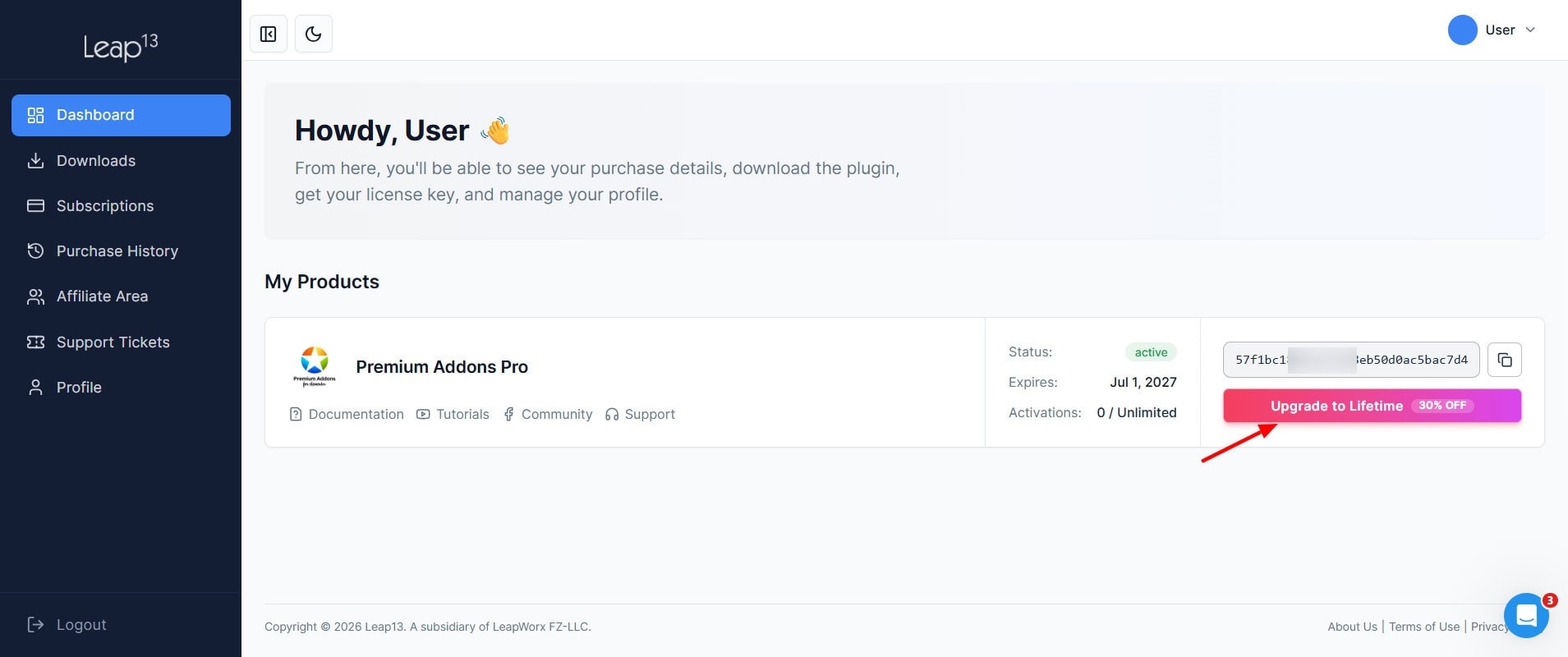
Once you're in your account dashboard, find your Premium Addons PRO license and click the Upgrades button next to it. This opens the list of plans your current license can move to.
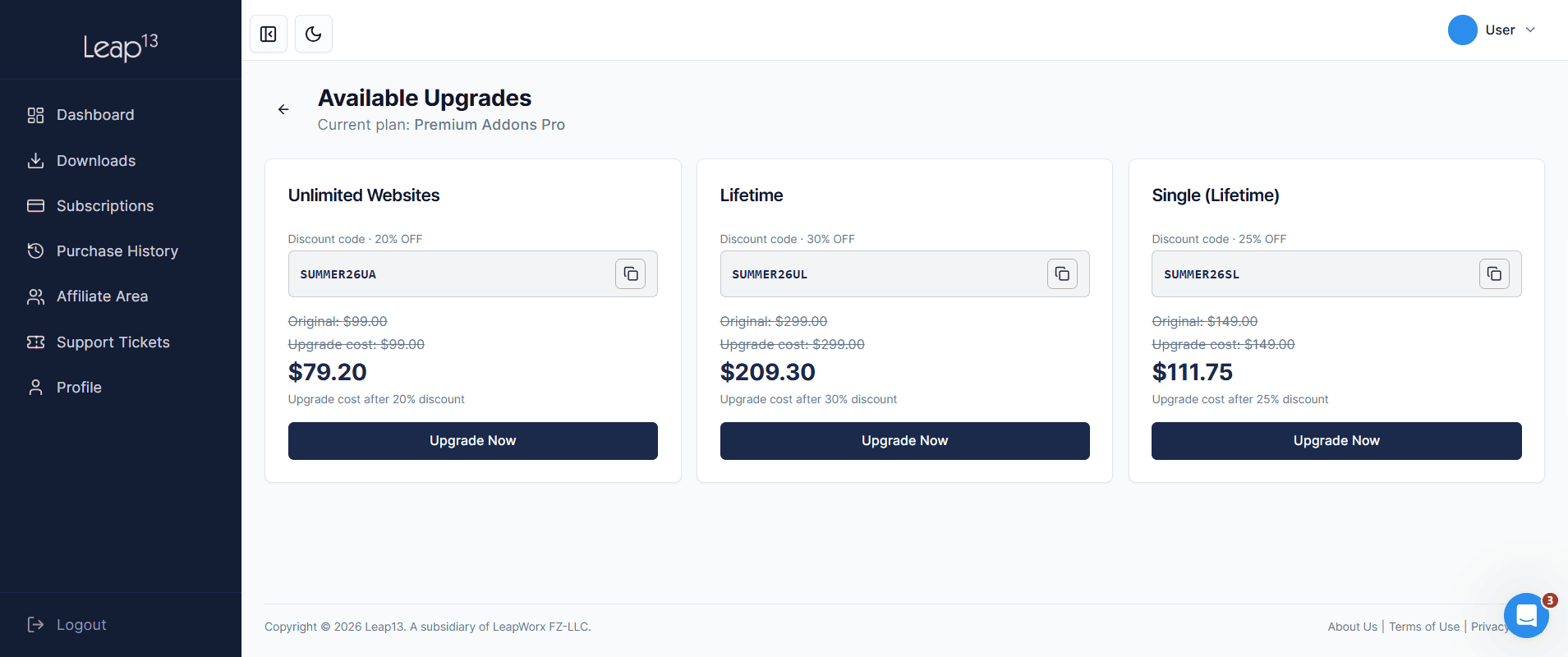
The checkout page opens with your lifetime upgrade in the cart. Review your order and pay with Visa, Mastercard, Discover or PayPal. That's it, your license is now on the lifetime plan.
Payment didn't go through? Read how to fix a failed payment.

Usually one of two things: your key has reached its maximum number of activations, or your server’s IP address is flagged as spam. Log in to your Leap13 account, open the Dashboard tab, and click Manage Sites to see which sites use your key. If that’s not it, look up your server’s IP on AbuseIPDB and ask your host for a new IP if it’s reported.
There are two options, each granted to one user or company: Single (one website plus localhost) and Unlimited (unlimited websites plus localhost). You can’t resell or redistribute the plugin, or share your license key or account with anyone else.
Your site keeps working, but you lose plugin updates (new widgets, addons, and bug fixes), PRO support, PRO templates in the Premium Templates library, and the social feed widgets. Renew an annual license before it expires to get a 30% renewal discount; renewing after it expires costs the full price.
Log in to your Leap13 account, open the Purchases tab from the left menu, and click Download Invoice next to the purchase you need. To change the billing details on your invoice, update your billing address from the Profile tab.
Card payments usually fail because of an AMEX card (not supported), an empty checkout field, details not typed in English, or invalid card information. If everything looks right, ask your bank to allow the transaction, then try again. If PayPal keeps loading, try a different browser.
Yes. Your first purchase is covered by a 14-day money-back guarantee. To request a refund, submit a support ticket at clients.leap13.com/contact-support within 14 days of purchase. Upgrades, renewals, and later purchases aren’t covered.


